
Google Phone Spam Controls: Filtering Calls and Correcting Mistakes
Google’s Phone app can warn about suspected spam, but automatic filtering depends on your device. Users can also correct mistaken labels, and Google describes which phone numbers it receives.
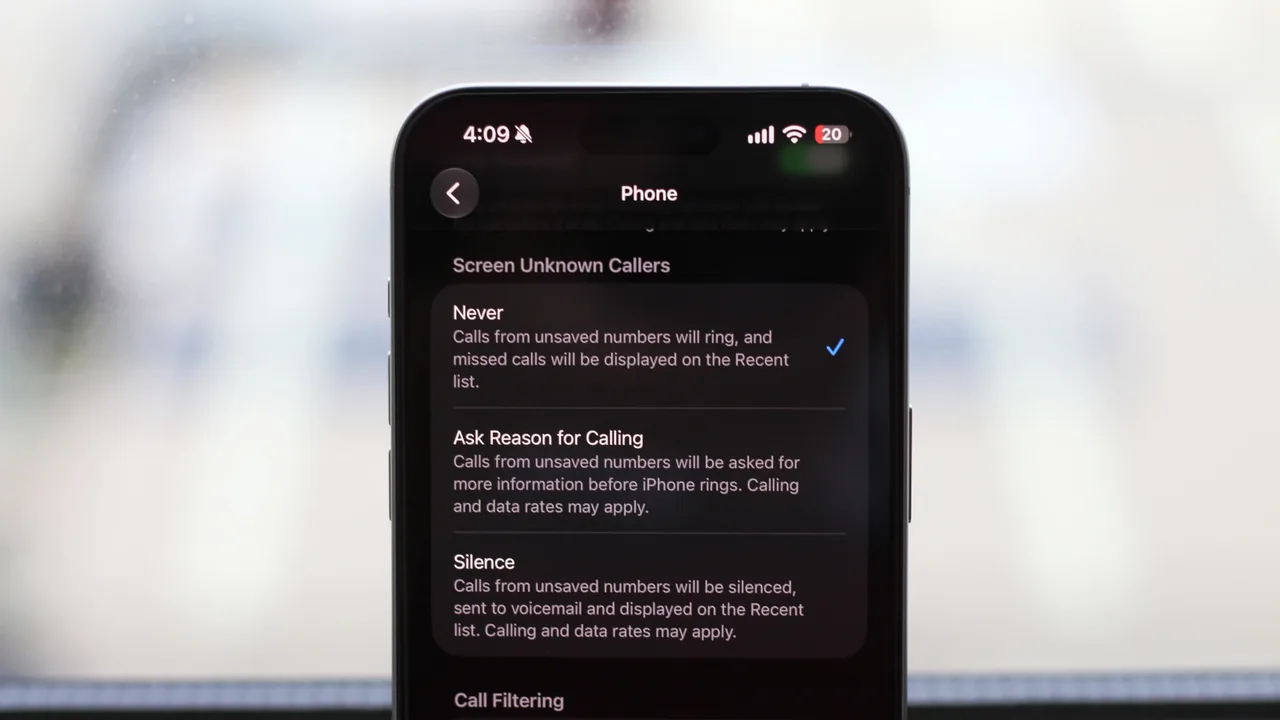
Photo: Source: www.engadget.com
Google Phone warnings and filtering serve different purposes
Google’s Phone app identifies callers and warns about potential spam. Google says caller ID and spam protection is enabled by default. Automatically silencing suspected spam is a separate function, so a warning alone does not mean the call will be silenced.
Engadget describes Filter spam calls as an option that automatically silences suspected spam. For someone seeking fewer interruptions, that is the useful distinction: caller identification helps assess a call, while filtering silences it.
The controls available depend on your phone model, Android version and dialer—the app used to make calls—according to Engadget. Google says devices with automatic Call Screen, its call-screening feature, manage automatic spam blocking there and do not have a separate filtering switch.
Correct a mistaken label or block an unwanted caller
Google says users can block callers or report them as spam. Users can also report a mistaken spam classification so future calls from that number are no longer marked as spam.
Choose the action that fits the problem: block an unwanted caller, report suspected spam, or correct a label applied in error. Correcting a mistaken label gives users a way to address errors in the app’s spam assessment.
Understand which numbers Google receives
Google says numbers involved in calls with people outside your contacts are sent to the company for business identification or spam assessment. It says numbers from your contact list are not collected.
A practical checklist:
– Check which spam controls your phone offers; availability varies by device and calling app. – On devices with automatic Call Screen, use its spam-blocking controls. – Report mistaken spam labels so future calls from those numbers are no longer marked as spam.
Share this story
Related Stories

Amazon opens TorchNeuron beta to ease PyTorch use on Trainium
Amazon says developers can move PyTorch applications to Trainium with a basic configuration change. A separate open-source release is planned for Tuesday.

Tesla Sets 2028 Roadster Production Target; Final Prices Still Unannounced
Tesla lists reservation deposits of $50,000 for Performance and $250,000 for Thrust, but its production target does not establish when customers will receive their cars.

Apple sets iPhone Duo preorders for October 16
The foldable iPhone Duo pairs an outer screen with a larger inner display for multitasking. Apple says its Siri AI features are rolling out in an…
ChatGPT Chrome Extension Adds Open-Tab Answers and Browser Tasks
The update lets users ask questions about open pages and request browser actions through ChatGPT Work, according to supplied reporting.
See an error? Request a correction.